
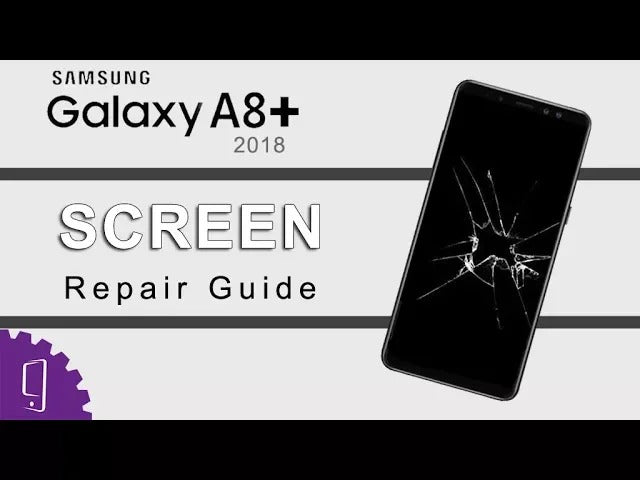
In this video, I will show you how to replacement the broken screen for Samsung Galaxy A8 Plus 2018.
Get OEM Replacement Parts for Samsung A8 Plus (2018) : https://witrigs.com/eknru
OEM AMOLED Screen for Samsung Galaxy A8 Plus (2018) :https://zegsu.com/s/er437
Why need to repair Screen?
The screen may broken or can not touch screen after a long time of using. This video teaches you how to replace and repair the damaged screen of your Samsung Galaxy A8 Plus 2018. It solves problems like screen broken, black screen, touch screen not work.
We will upload other repair guide for Samsung Galaxy A8 Plus 2018 as soon as possible. Tell us which part for Galaxy A8 Plus 2018 you want to repair at comments section.
Witrigs offers not only mobile repair tutorial including disassembly, assembly, and components replacement guide, but also phone accessories review video on YouTube.
Publisher: Witrigs - http://www.witrigs.com/
Witrigs YouTube Channel - https://www.youtube.com/user/witrigs
If you are interested in DIY phone repair or latest phone accessories review, Like Us on Facebook Page: https://facebook.com/witrigsphonerepair Subscribe Us on YouTube: https://www.youtube.com/user/witrigs Follow Us on Twitter: https://twitter.com/witrigs Add Us on Google+: https://plus.google.com/+Witrigs-com Subscribe Us on Blog: http://www.witrigs.com/blog/
Don’t forget to Like if this video helps you.
And don’t forget to SUBSCRIBE!
Tools:
- Spudger - https://zegsu.com/s/dj44y
- Hair Dryer or Heat Gun - https://zegsu.com/s/dj44c
- Card - https://zegsu.com/s/dj17d
- Ultra-thin Card - https://zegsu.com/s/dj18b
- PH#000 Screwdriver - https://zegsu.com/s/dj5m8
Steps:
Step 1 Power off
Step 2 Remove the Back Cover
Step 3 Remove the motherboard bracket
Step 4 Test the new screen
Step 5 Remove the worn screen
Step 6 Install the new screen
Step 7 Put back the motherboard bracket
Step 8 Install the back cover
Recommended video: Xperia XA2 vs Honor View 10 vs Galaxy A8+ 2018 vs Oneplus 5T Battery Test | Battery Drain Out https://www.youtube.com/watch?v=sehVFf4nAJU&t=0s&list=PLM3XYRzu8pIHzJCG4CqyFxbUHhisG-NVg&index=7