
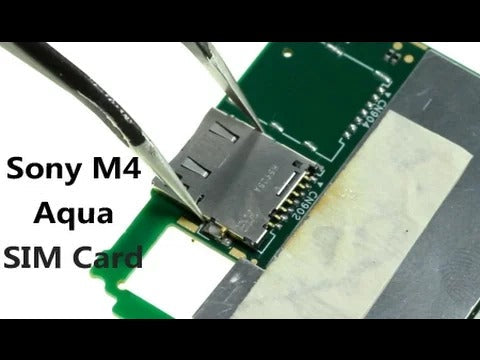
Get new and original SIM Card Reader at http://www.witrigs.com/oem-sim-card-holder-for-sony-xperia-m4-aqua
Get Original Replacement Parts for Sony Xperia M4 Aqua : https://witrigs.com/elumg
Is your Sony Xperia M4 Aqua not able to read your SIM card anymore or has a SIM card error? The problem could be caused by a broken SIM card slot or card reader. This video will tell you how to repair the damaged SIM Card Holder and replace a new one.
Tools:
- Heat gun/hair dryer - https://zegsu.com/s/dj44c
- Guitar Picks - https://zegsu.com/s/dj43z
- T5 Torx screwdriver - https://zegsu.com/s/dj44j
- Spudger - https://zegsu.com/s/dj44y
- Tweezers - https://zegsu.com/s/dj447
- Suction Cup - https://zegsu.com/s/dj2cm
Steps
Step1 Remove the Back Cover
Step2 Remove the Battery
Step3 Remove the Motherboard
Step4 Remove Rear Camera & Front Camera
Step5 Remove the worn SIM Card Reader
Step6 Install a new SIM Card Reader
Step7 Put back the Motherboard
Don’t forget to Like if this video helps you. And don’t forget to SUBSCRIBE!
Witrigs offers not only mobile repair tutorial including disassembly, assembly, and components replacement guide, but also phone accessories review video on YouTube.
Publisher: Witrigs - http://bit.ly/1Avo6o3
Witrigs YouTube Channel - http://bit.ly/1HZTLkL
If you are interested in DIY phone repair or latest phone accessories review, Subscribe Us on YouTube: http://bit.ly/1xNoHlm
Follow Us on Twitter: http://bit.ly/1yIu32C Like Us on Facebook Page: https://facebook.com/witrigsphonerepair
Contact us on Facebook Message: https://messenger.com/t/witrigsphonerepair Add Us on Google+: http://bit.ly/17oOFBN Subscribe Us on Blog: http://bit.ly/14xGAJ6
-~-~~-~~~-~~-~-
Like Us on Facebook Page: https://facebook.com/witrigsphonerepair Donate now if you feel our videos so helpful. https://www.paypal.me/witrigs/2 -~-~~-~~~-~~-~-